• Our accessibility guidelines

    Our accessibility guidelines

    This is a the checklist we are using to make sure that the AI4terps learning platform is accessible to everyone.

    Text

    ☐ Use short sentences. Avoid long and complicated sentence structures.

    ☐ Label everything clearly.

    ☐ Use headlines.

    ☐ Always use format templates to mark headlines as such (screen readers don’t recognise bold or larger text as headlines).

    ☐ Use lists (screen readers work well with lists).

    ☐ If you want to add a new paragraph, use only one blank line in between the paragraphs (and use paragraph formats where possible).

    ☐ Use a single tab stop to create gaps in the text and set a tab position to determine the size of the gap. Do not use a series of repeated spaces.

    ☐ Make sure your text is left-aligned. Avoid right- or justified text alignment.

    ☐ Do not use automatic syllable division.

    ☐ Avoid ableist language.

    ☐ Use sans serif fonts (examples include Arial, Aptos, Helvetica, Calibri. Do not use Times New Roman).

    ☐ Make sure contrast is high and that colours can be easily distinguished (minimum of 4.5 to 1). (Word has an accessibility check that you can use for this).

    ☐ Use more indicators than colour when relaying information. Information should be understandable on black and white screens or for people who are colourblind.

    Tables

    ☐ Only use tables for straightforward tabular lists.

    ☐ Mark table headings as “header”.

    ☐ If the first column contains descriptive terms for the adjacent content (row labels), set the ‘First Column’ property: In the Word menu, select Table Tools | Design | First Column.

    ☐ All rows must have the same number of columns.

    ☐ All columns must have the same number of rows.

    ☐ Never have a table inside of another table.

    ☐ Very long tables may extend over more than one page. In such cases, the headers or table headings should be repeated so that they are displayed again after a page break.

    ☐ Ensure that page breaks only occur between table rows, not within a multi-line table cell.

    Images, lettering graphics and diagrams

    ☐ Formulate alternative texts for informative images, graphics or photos.

    ☐ If images, graphics or photos are only decorative, insert a space in the alternative text to mark them as ‘decorative only’.

    ☐ Alternative texts should be one short sentence. Try to use less than 80 characters. Exception: diagrams.

    ☐ Diagrams have a lot of information. All of this data should be included in a more detailed alternative text.

    ☐ When writing alternative texts describe what can be seen in the image. Do not add your own interpretation of the image.

    ☐ Do not repeat what is already stated in the surrounding text.

    ☐ Avoid lettering graphics. Only exception: logos. For logos add an alternative text such as “Logo TH Köln”.

    ☐ Avoid design elements that flash more than 3 times in a one second interval.

    Audio and video

    ☐ Turn off auto-play. Make sure you have to start audio manually.

    ☐ Make sure you have the best possible sound quality.

    ☐ Provide a transcript of everything that is being said (option: use an STT software (make sure to proofread after)).

    ☐ For videos you need to provide an audio description and/or a transcript. Here are two links on how to create an audio description and what you should keep in mind:

    Subtitles

    ☐ Use an .srt format. Use a text editor to create an .srt file.

    ☐ To mark speaker changes, use their name or a dash.

    ☐ Lines should be divided according to meaning.

    ☐ Subtitles should be on the screen for at least 2 seconds (or 13-15 characters per second).

    ☐ Include important information relayed through audio (for example music, sounds in parentheses).

    Format Ilias (only relevant for implementing content in Ilias)

    ☐ Use columns as layout (good for responsiveness and length of the lines).

    ☐ Avoid “advanced tables”(“erweiterte Tabellen”).

    ☐ Use “Metadata” to assign a language to the document.

    ☐ Make sure links/buttons can be clicked on using “tab”.

    ☐ Links and buttons should be at least 24 pixels high/wide.

    ☐ Form entry functions should not have a time limit/or an extended time limit.

    ☐ Be consistent in layout and in navigation elements.

    ☐ Everything should be mobile and tablet friendly.

    Tests for accessibility

    https://bitvtest.de/pruefverfahren/bitv-20-web

    WebAIM: WebAIM’s WCAG 2 Checklist
    ANDI – Accessibility Testing Tool – Install

    WebAIM: Contrast Checker

  • Content preview

    Content preview


     AI4terps – Content

    So, what can you expect from the AI4terps platform?

    AI4terps will help answer your questions about AI in interpreting.
    We are planning to cover as many different aspects as possible, ranging from the basics of AI, to how AI can support interpreters, to questions about AI replacing interpreters. With AI4terps you will have everything you need in one place.

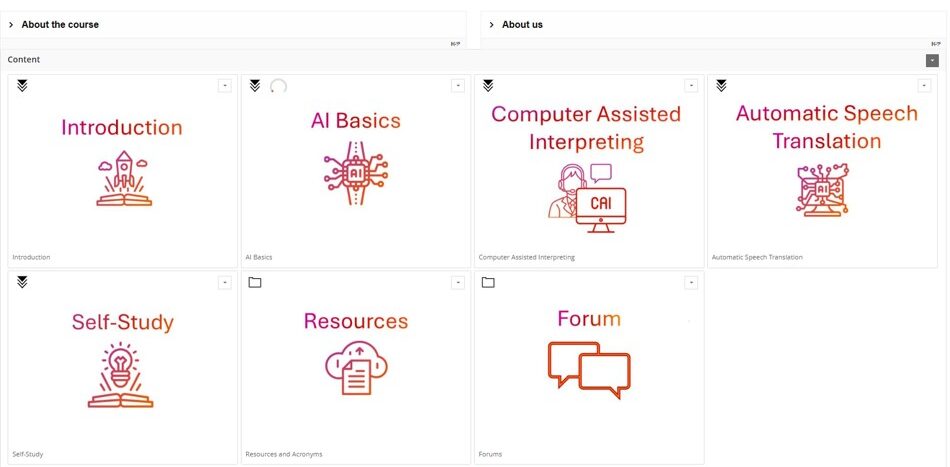
    The platform will have several main modules with multiple sub-sections each: AI Basics, Computer Assisted Interpreting (CAI), Self-study, Automatic Speech Translation (AST) and Resources. In order to facilitate conversations around AI in interpreting, we are also planning on including a forum where you will be able to exchange ideas and perspectives with other interpreters.

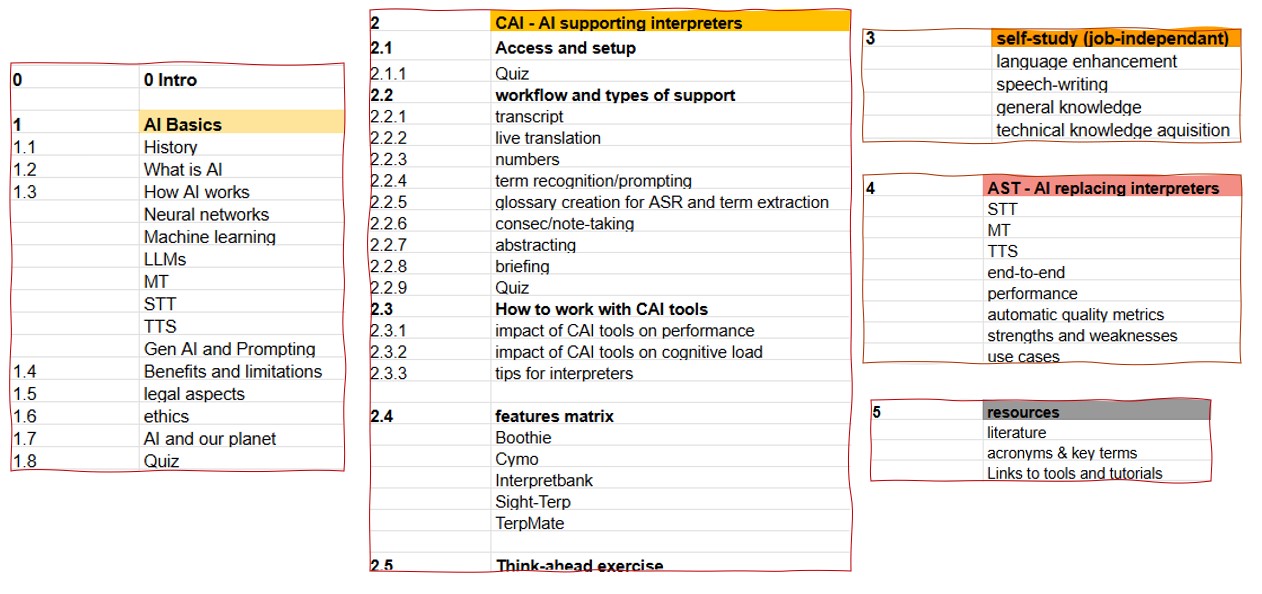
    Here is a more detailed breakdown of what each module will cover.

    And here are the sub-chapters – still subject to – constant – change:


    AI Basics

    As the name suggests, this module will walk you through the basics of artificial intelligence. We will cover how it works and explore the benefits and limitations of AI in interpreting. We will also take a look at legal and ethical aspects of AI in interpreting and explore how using AI affects our environment.

    Here’s a sneak peek:

    Computer Assisted Interpreting (CAI)

    In this module, we will be looking at how AI can be used to support interpreters. You will learn more about what types of  useful AI-based tools there are and how they can be incorporated into your workflow, whether you are using them in the booth or for language enhancement or speechwriting at home.
    There will also be an overview of existing CAI tools and their features presented in a convenient features matrix, so that you can decide which tools best suit your needs if you want to try them out.

    Here is a sneak peek of the “glossaries” sub-section:

    Self-study

    This module provides resources on how to use AI for job-specific or generic, long-term language enhancement and knowledge acquisition.

    Automatic Speech Translation (AST)

    In this module you will learn more about what happens when AI is used to replace interpreters. For that we will be looking at how Speech-to-Text (STT), Machine Translation (MT) and Text-to-Speech (TTS) software solutions are used in Automatic Speech Translation. We will also cover systematic quality assessment, the strengths and weaknesses of AST as well as possible use cases and more.

    Timeline

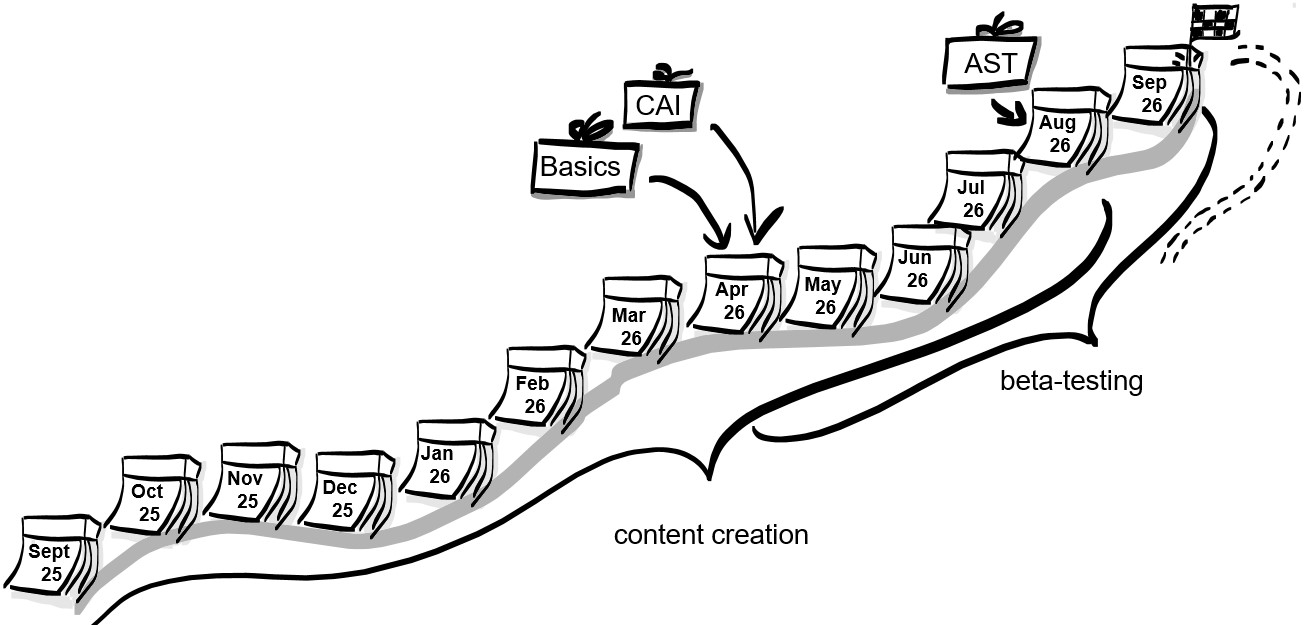
    Here’s our approximate timeline. AI4terps.org is programmed to be online and publicly available by the end of September 2026.


    Resources

    Additionally, we will have a module which will offer extra resources such as relevant literature, key terms and links to our sources.

    Note that this platform is a work in progress, so everything you see here is subject to change. Comments and suggestions are always welcome!

  • Meet the team

    Meet the team

    Welcome to AI4terps, a learning space for interpreters building expertise to help you navigate AI with confidence!

    The project

    AI4terps aims to create a self-learning platform for interpreters that will cover everything related to interpreting and AI.
    We will be addressing as many different aspects as possible including the basics of AI, Computer-Aided Interpreting (CAI, a practice where computer programs are used before and during the assignments) and self study. We will also have a module on Automatic Speech Translation (AST, a practice where AI is used to convert a spoken text in the source language into a written or audio text in the target language) as well as resources for those wanting to use AI in interpreter training.

    This project is co-funded by the EU and organized by the TH Köln (Cologne University of Applied Science).

    The AI4terps platform aims to provide valuable resources for interpreters who want to learn more about AI in interpreting. We want these resources to be accessible to everyone – whether you are a conference interpreter, an interpreting student or an interpreting trainer – so everything will be made available free of charge.
    AI4terps will be fully online, and you will be able to access the content wherever and whenever you want. We will launch in autumn 2026, so stay tuned!

    Meet the team

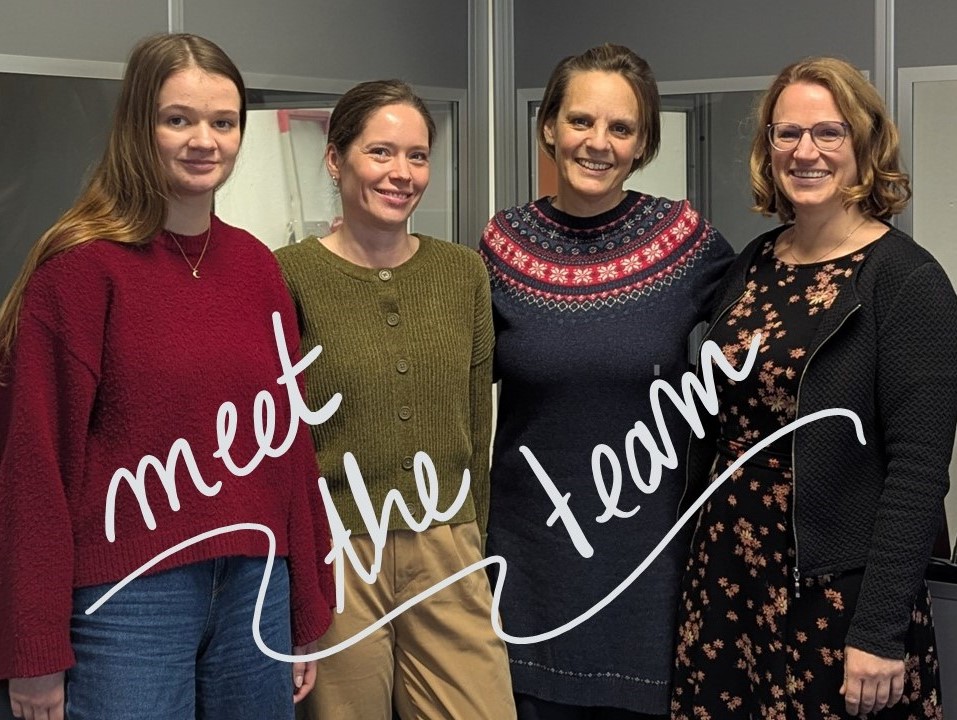
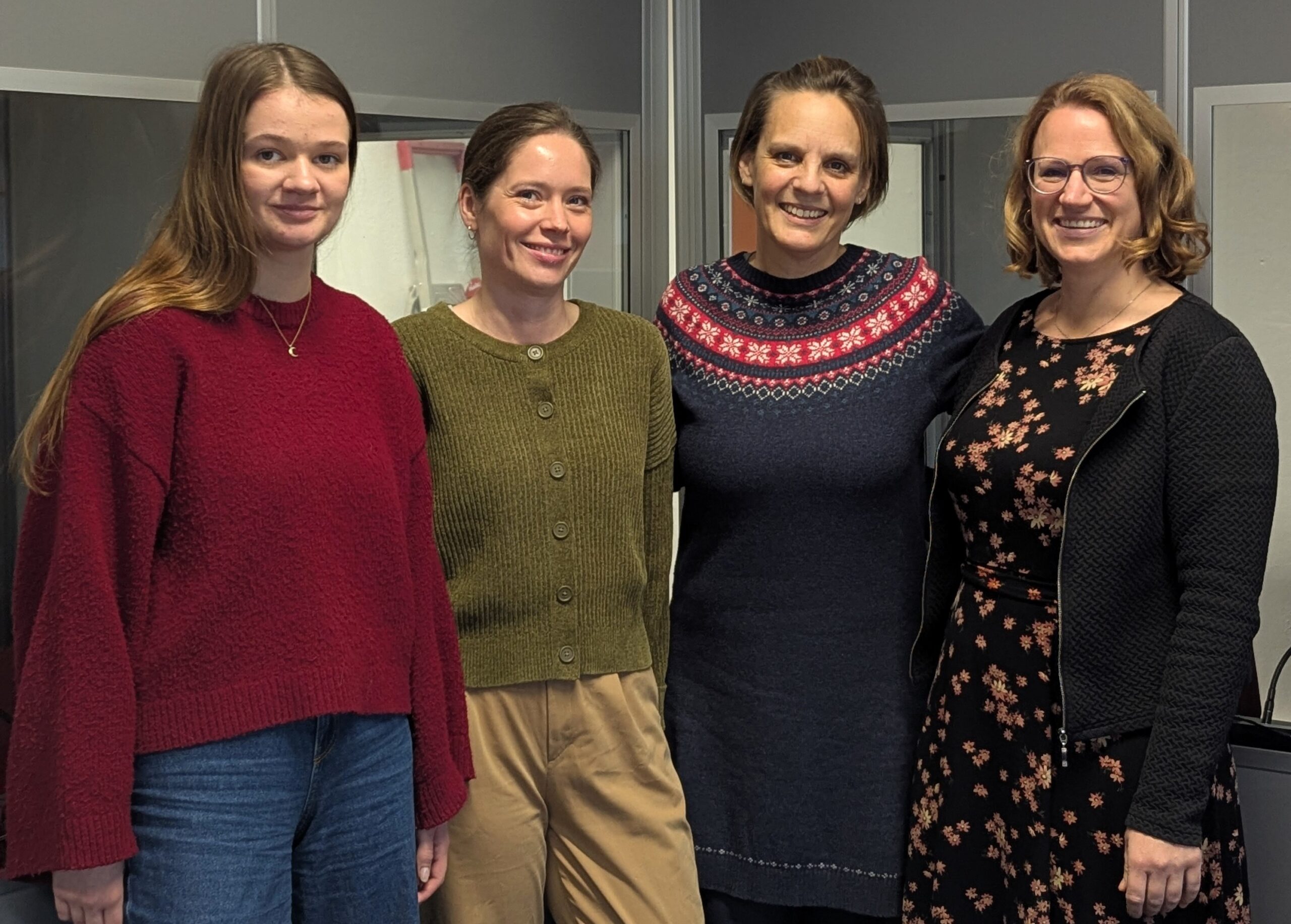
    The AI4terps team consist of a core team of four people (Anja Rütten, Magdalena Lindner-Juhnke, Nele Kirstein and Julia Baum) plus four external advisors (Bart Defrancq, Michelle Hof, Bianca Prandi and Karin Reithofer) whose invaluable support we are very grateful for. Read on to find out more about the team members.

    The core team

    Anja Rütten holds a professorship at the TH Köln for theory and practice of interpreting and Computer-Aided Interpreting. She also still occasionally works as a freelance conference interpreter for German, Spanish, English and French. Additionally, she is a member of the AIIC AI Workstream and maintains a blog on knowledge management and tech (www.dolmetscher-wissen-alles.de).

    Magdalena Lindner-Juhnke is a freelance conference interpreter for German, English and Spanish as well as the founder of an interpreter-led agency. She is a member of both the German VKD and the International Association of Conference Interpreters (AIIC). Magdalena volunteers for the AIIC AI Workstream and offers AI trainings for conference interpreters worldwide.

    Nele Kirstein is a freelance conference interpreter and translator for German, English, Spanish and French. She is an adjunct lecturer for translation and interpreting at the TH Köln and is a partner at Dolmetschwerk. Nele is a member of the International Association of Conference Interpreters (AIIC) and the German VKD, where she currently serves as co-treasurer on the board.

    Julia Baum is a translator and an interpreting student at the TH Köln, working with German, English and French.

    The external advisors

    Bart Defrancq
    Ghent, Belgium

    Michelle Hof
    Santa Cruz de Tenerife, Spain

    Bianca Prandi
    Bologna, Italy

    Karin Reithofer
    Vienna, Austria

    AIIC

    And finally, AIIC will support us by providing feedback and beta testers. Looking forward!